
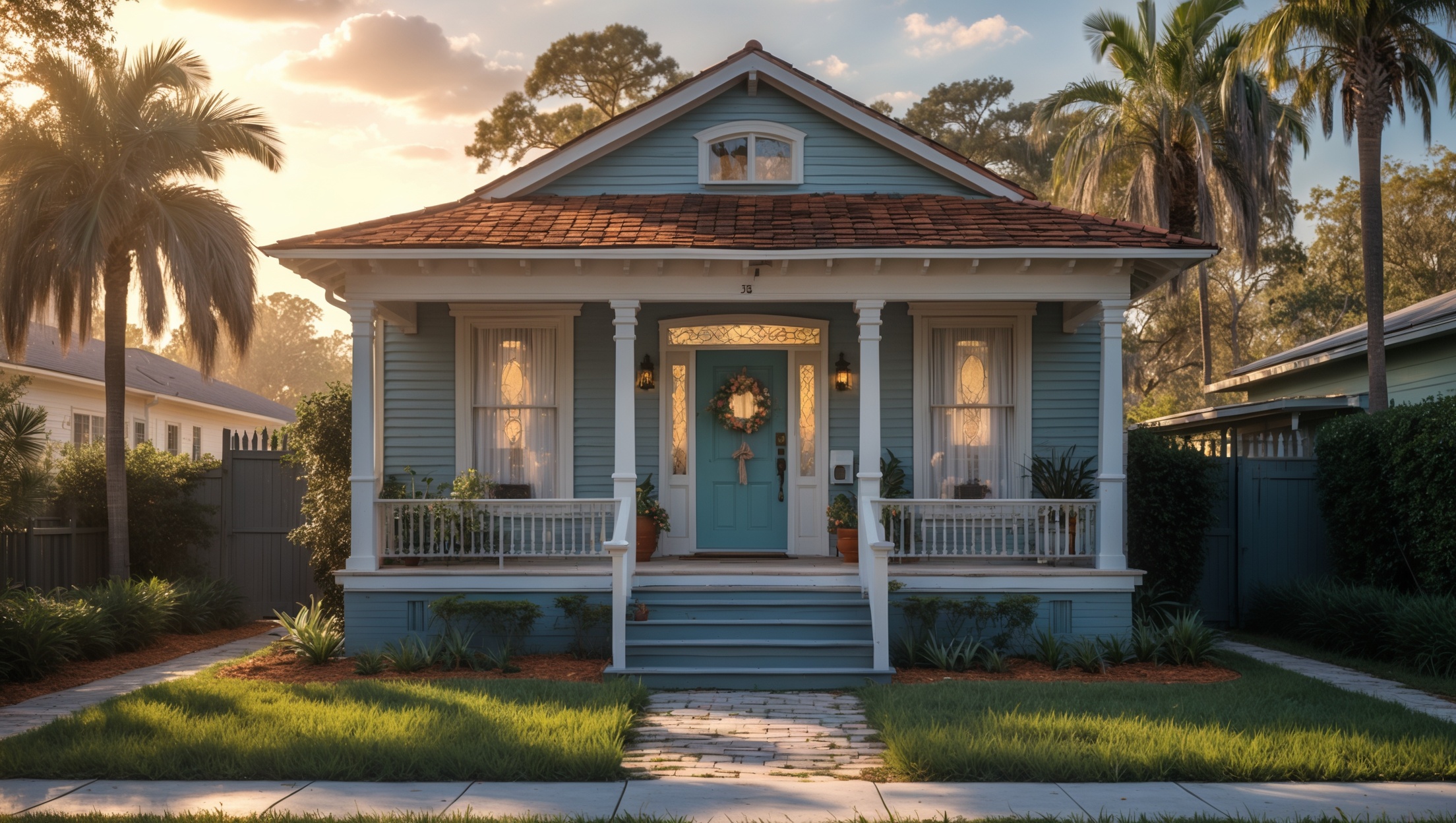
Introduction: The Rise of Smart Home Tech in Southeast Seminole Heights
Southeast Seminole Heights is known for its vibrant community, historic architecture, and an ever-growing interest in modern comforts. As more homeowners look to blend the charm of older homes with the convenience of new technology, smart home upgrades have become a popular renovation goal. From automated lighting and climate control to security systems and voice assistants, these tools promise greater efficiency, safety, and even energy savings. However, integrating smart tech into Southeast Seminole Heights homes—many of which were built long before Wi-Fi existed—presents unique challenges. Without careful planning, it’s easy to encounter frustrating compatibility issues, unexpected expenses, or even damage to your home’s character and value. This guide dives deep into the specific beginner mistakes homeowners in Southeast Seminole Heights often make when installing smart home technology, and offers local, expert tips to ensure your upgrade is smooth, secure, and successful.
Understanding Your Home’s Unique Challenges
Age and Structure of Historic Homes
Many homes in Southeast Seminole Heights date back to the early 20th century. While these houses boast character, their construction materials and layouts can complicate smart tech installations. Thick plaster walls, outdated wiring, and limited attic or crawl space access can limit the placement and function of certain devices.
- Electrical Limitations: Older electrical systems may not support the power needs of smart thermostats, cameras, or lighting. Always check circuit capacity before installation.
- Wi-Fi Interference: Lath and plaster, brick, and metal mesh walls can weaken wireless signals, causing smart devices to disconnect or lag.
Neighborhood-Specific Concerns
Southeast Seminole Heights experiences Florida’s humidity, frequent storms, and occasional power outages. These environmental factors should inform your choice of devices and backup systems.
- Weatherproofing: Outdoor cameras and sensors need to withstand intense rain and heat. Not all products rated for general outdoor use are suited to the Florida climate.
- Power Backup: Battery backups or uninterruptible power supplies (UPS) are essential for maintaining security during outages, especially in storm season.
Common Beginner Mistakes—and How to Avoid Them
1. Skipping a Wi-Fi Audit
Smart devices rely on stable, strong Wi-Fi. Many homeowners underestimate the impact of weak or inconsistent signals, especially in older homes where dead zones are common.
- Mistake: Placing devices far from the router or in areas with thick walls, resulting in unreliable performance.
- Solution: Conduct a Wi-Fi speed and coverage test in every room. Invest in a mesh Wi-Fi system or dedicated range extenders tailored to your home’s layout.
2. Overlooking Compatibility and Ecosystem Lock-In
With dozens of brands on the market, it’s tempting to buy whatever is on sale. But not all smart devices work well together, and mixing ecosystems can be a recipe for frustration.
- Mistake: Purchasing devices that aren’t compatible with your preferred hub (e.g., Alexa, Google Home, Apple HomeKit) or with each other.
- Solution: Choose a primary ecosystem and stick with devices labeled as compatible. Check for local support—some brands have better service availability in Tampa Bay.
3. Ignoring Power Source Requirements
Smart doorbells, thermostats, and cameras may require hardwiring, battery changes, or specific voltage levels. Failing to check your home’s wiring or power supply can lead to installation roadblocks or safety hazards.
- Mistake: Attempting to install a smart device where no power source exists, or connecting to outdated wiring that can’t handle the load.
- Solution: Assess each location’s power options. Consult with a licensed electrician if upgrades are needed, especially in historic homes with knob-and-tube wiring.
4. Failing to Secure Your Network and Devices
Smart devices can be vulnerable to hacking if not properly secured. Local news has reported cases of unauthorized access to cameras and locks due to weak passwords or outdated firmware.
- Mistake: Using default login credentials, skipping firmware updates, or neglecting to enable two-factor authentication (2FA).
- Solution: Immediately change default passwords, enable 2FA where possible, and register devices for automatic updates. Choose products from reputable brands with a track record of security patches.
5. Forgetting About Aesthetics and Home Value
Clunky or mismatched smart devices can detract from your home’s historic charm or even discourage future buyers. This is especially relevant in Southeast Seminole Heights, where curb appeal and period features matter.
- Mistake: Installing visible wires, oversized sensors, or incompatible finishes that clash with original woodwork or exterior colors.
- Solution: Opt for low-profile, color-matched devices and consider professional installation to conceal wiring. Consult with local contractors who have experience working in historic neighborhoods.
Step-by-Step: Planning Your Smart Home Upgrade in Southeast Seminole Heights
Step 1: Map Out Your Goals
Decide which aspects of your home life you’d like to automate or make safer. Popular categories include:
- Security (cameras, smart locks, alarm systems)
- Lighting (automated switches, smart bulbs, motion sensors)
- Climate control (smart thermostats, HVAC integration)
- Energy management (smart plugs, leak detectors, solar monitoring)
List your priorities and desired outcome for each.
Step 2: Assess Your Infrastructure
Walk through your home and document the following:
- Wi-Fi signal strength in each area
- Availability and type of electrical outlets and wiring
- Placement of existing switches, thermostats, and doorbells
- Outdoor exposure and weatherproofing needs
Take photos and measurements for reference.
Step 3: Choose Your Ecosystem and Devices
Research which hub or ecosystem fits your needs (Amazon Alexa, Google Home, Apple HomeKit). Check device compatibility before purchasing. Read reviews specific to Florida or humid climates when possible.
Step 4: Plan for Professional Help Where Needed
Some smart devices require electrical work, drilling, or integration with existing systems. For older homes, hiring a licensed electrician or local installer with experience in historic properties is highly recommended. Ask neighbors for referrals or check local forums for reviews.
Step 5: Install and Test in Phases
Start with one or two devices and confirm that they work as intended before adding more. This approach helps identify potential issues early and prevents a cascade of troubleshooting headaches.
Local Tips for a Seamless Installation
Leverage Community Knowledge
Southeast Seminole Heights has an active online presence, with Facebook groups and neighborhood forums dedicated to home improvement. Share your plans and ask for product recommendations or installation tips—locals can offer advice specific to the area’s housing stock.
Respect Historic Guidelines
If your home is within a historic district or subject to local preservation guidelines, review any restrictions on exterior changes, visible wiring, or alterations to doors and windows. Some smart device installations may require approval from the city or neighborhood association.
Prepare for Storm Season
Install surge protectors and consider integrating your smart devices with a home generator or battery backup. Test all systems before hurricane season begins and keep spare batteries on hand for critical devices.
Support Local Businesses
Many Tampa area businesses specialize in smart home technology and can offer installation, support, and even device recommendations suited to the local climate and architecture. Supporting local pros ensures you get service tailored to the unique needs of Southeast Seminole Heights homes.
Budget Breakdown: What to Expect
Typical Costs for Basic Smart Home Upgrades
- Smart thermostat: $120–$250 (plus potential $100–$300 for installation in older homes)
- Smart lighting starter kit: $90–$200
- Video doorbell: $100–$300
- Outdoor security cameras: $100–$200 per camera (weatherproof models may cost more)
- Mesh Wi-Fi system: $200–$500
Hidden Costs to Consider
- Electrical upgrades for incompatible wiring: $200–$1,000+
- Professional installation: $100–$500 per project
- Permit fees for exterior wiring or major electrical changes: $50–$250 (if required)
- Annual subscriptions for cloud storage or monitoring: $30–$150 per device
Always get detailed quotes and clarify what is included before hiring contractors.
Maintenance Best Practices for Longevity
Regular Updates and Security Checks
Set a quarterly reminder to check for software and firmware updates on all devices. Change passwords at least once a year and enable new security features as they are released.
Physical Maintenance
- Clean camera lenses and motion sensors with a soft cloth monthly
- Check and replace batteries in sensors and locks as needed
- Inspect outdoor devices after storms for water damage or loose mounts
Network Health
Monitor your Wi-Fi performance using apps or your router’s dashboard. Consider upgrading your router every 4–5 years to keep up with new device demands.
Expert Advice: When to Call a Pro
If you encounter any of the following, it’s best to consult with a professional:
- Old or unknown electrical wiring
- Frequent device disconnects or network issues
- Difficulty integrating devices from multiple brands
- Signs of water intrusion or mold near electronic components
- Unusual activity or alerts from security devices
Local smart home specialists can diagnose issues quickly and recommend solutions that fit Southeast Seminole Heights homes.
Conclusion: Smart Homes, Smarter Upgrades
Bringing smart home technology to your Southeast Seminole Heights property is an exciting way to increase comfort, security, and even resale value—when done right. By understanding your home’s unique challenges, avoiding common beginner mistakes, and planning upgrades with both modern convenience and historic character in mind, you can enjoy the best of both worlds. Remember to audit your Wi-Fi, choose compatible devices, secure your network, and always consider the power and aesthetic implications of each installation. Leverage the collective knowledge of your neighbors and local professionals, and don’t be afraid to invest in quality products that are proven to withstand Florida’s climate. With a thoughtful approach, your smart home upgrades will not only make daily life easier but also preserve the distinctive charm that makes Southeast Seminole Heights such a special place to live. Stay proactive with maintenance, keep security top-of-mind, and your smart home will serve you well for years to come.